HomeFlow
A family organisation app designed to bring everyday planning into one shared space. Home Flow is a mobile app concept created to explore how busy households could manage schedules, responsibilities and meal planning through a single, intuitive experience. The project focuses on reducing the need to switch between multiple apps by bringing everyday family organisation together in one accessible and visually consistent platform.
MY ROLE
UX/UI Designer I worked across the full design process, from defining the initial concept and considering user needs through to structuring the experience, developing the visual interface and building an interactive prototype. My role involved thinking about both how the product should function and how each interaction could remain simple and intuitive for everyday users.
PROJECT TYPE
Mobile App Concept & Interactive Prototype Home Flow was developed as a UX/UI concept exploring the challenges of organising a household through one digital experience. The current outcome is an interactive prototype rather than a fully developed application, allowing key user journeys, navigation patterns and interface decisions to be explored and demonstrated.
DESIGN PROCESS
Research · User Flows · Wireframing · UI Design · Prototyping The project developed from understanding the core organisational needs of a household into defining key features and user journeys. These ideas were translated into screen structures and interface designs before being connected through an interactive prototype to explore how the overall experience would work in practice.
TOOLS : Figma · Fig Jam
Figma was used to develop the interface, reusable components and interactive prototype, while FigJam supported early planning, organisation of ideas and UX thinking throughout the project.
CORE FEATURES
Family Dashboard · Shared Calendar · Task Management · Meal Planning Home Flow centres around four connected areas. The dashboard provides an overview of the household's day, the shared calendar brings everyone's schedules together, tasks help organise everyday responsibilities, and meal planning provides recipe inspiration that can become part of the family's wider plan.
DESIGN GOAL
Make family organisation feel simpler, calmer and more connected. The aim was not to add more complexity to an already busy routine, but to design an experience where important information could be understood quickly. Clear hierarchy, familiar interactions, soft visual styling and consistent navigation were used throughout the interface to create an experience that feels approachable and easy to learn.
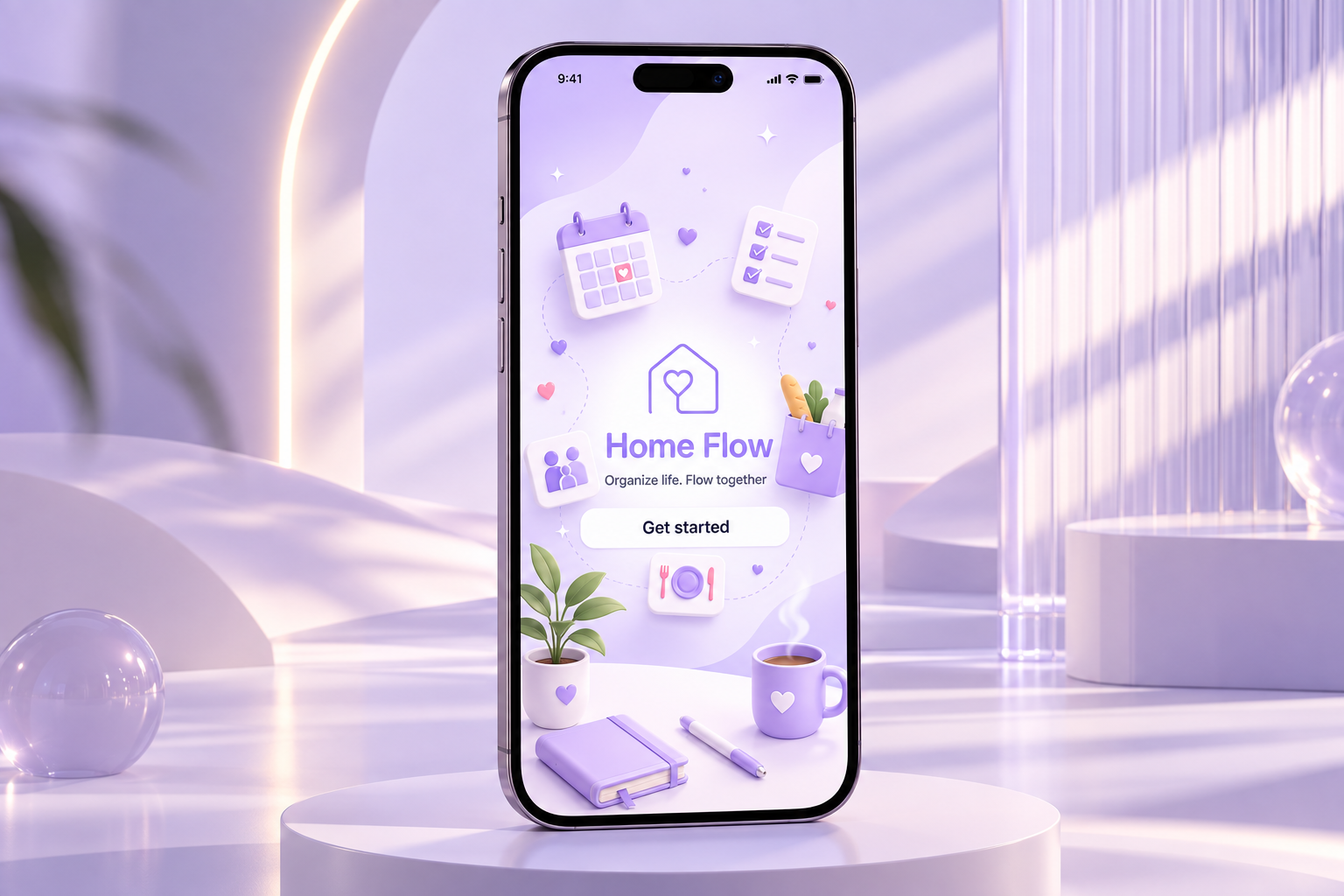

The welcome screen introduces users to Home Flow and establishes the app’s calm and friendly visual identity. The Get Started button provides one clear action, taking new users directly into the onboarding process without overwhelming them with options.
Prototype: Get Started leads into account creation and begins the onboarding flow.
Get started
Log in
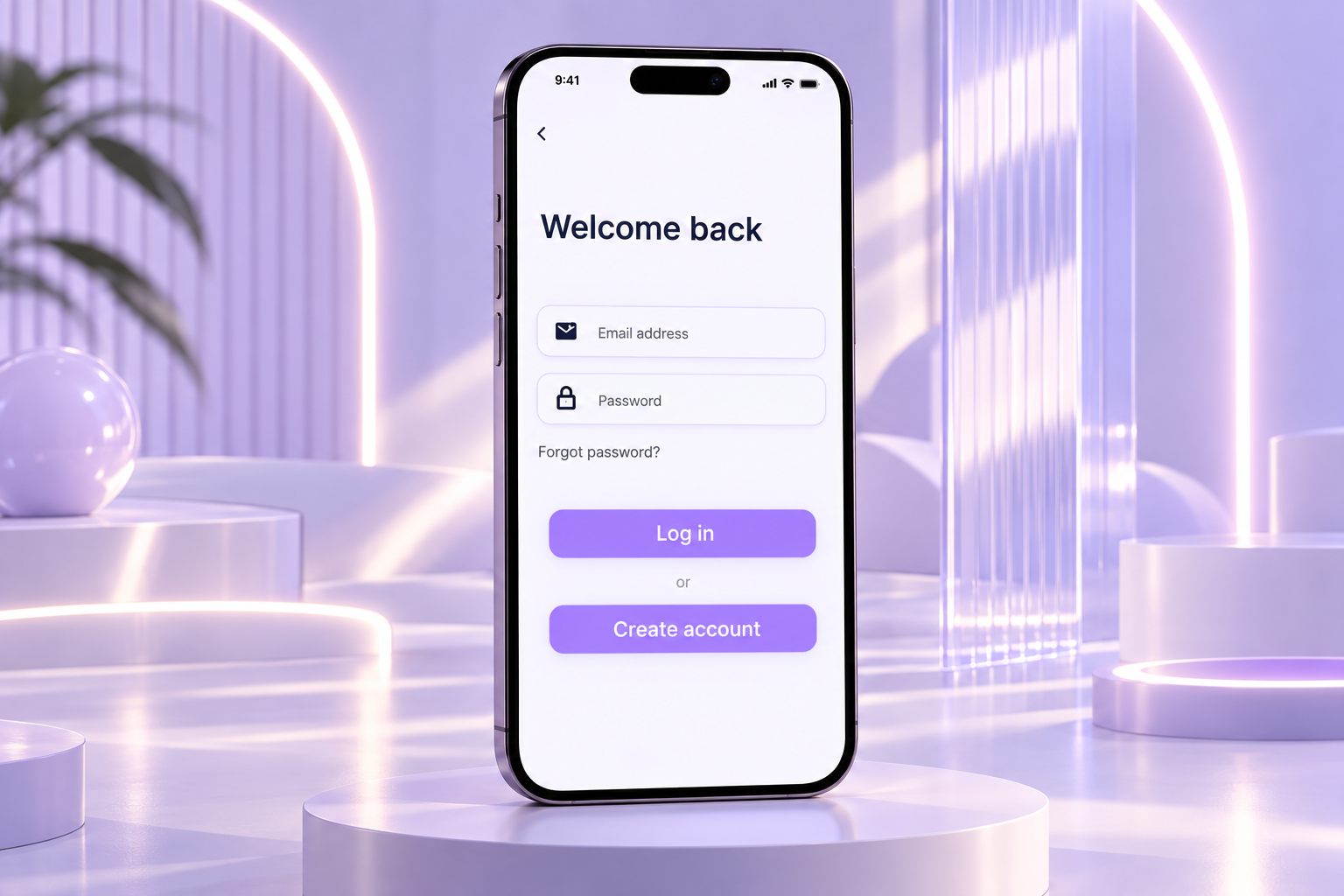
Returning users can quickly access their existing Home Flow account using their email address and password. The screen also provides options for forgotten passwords and account creation, allowing both new and returning users to continue from the same entry point.
Prototype: Users can move between Login and Create Account, with the back control returning to the previous screen.
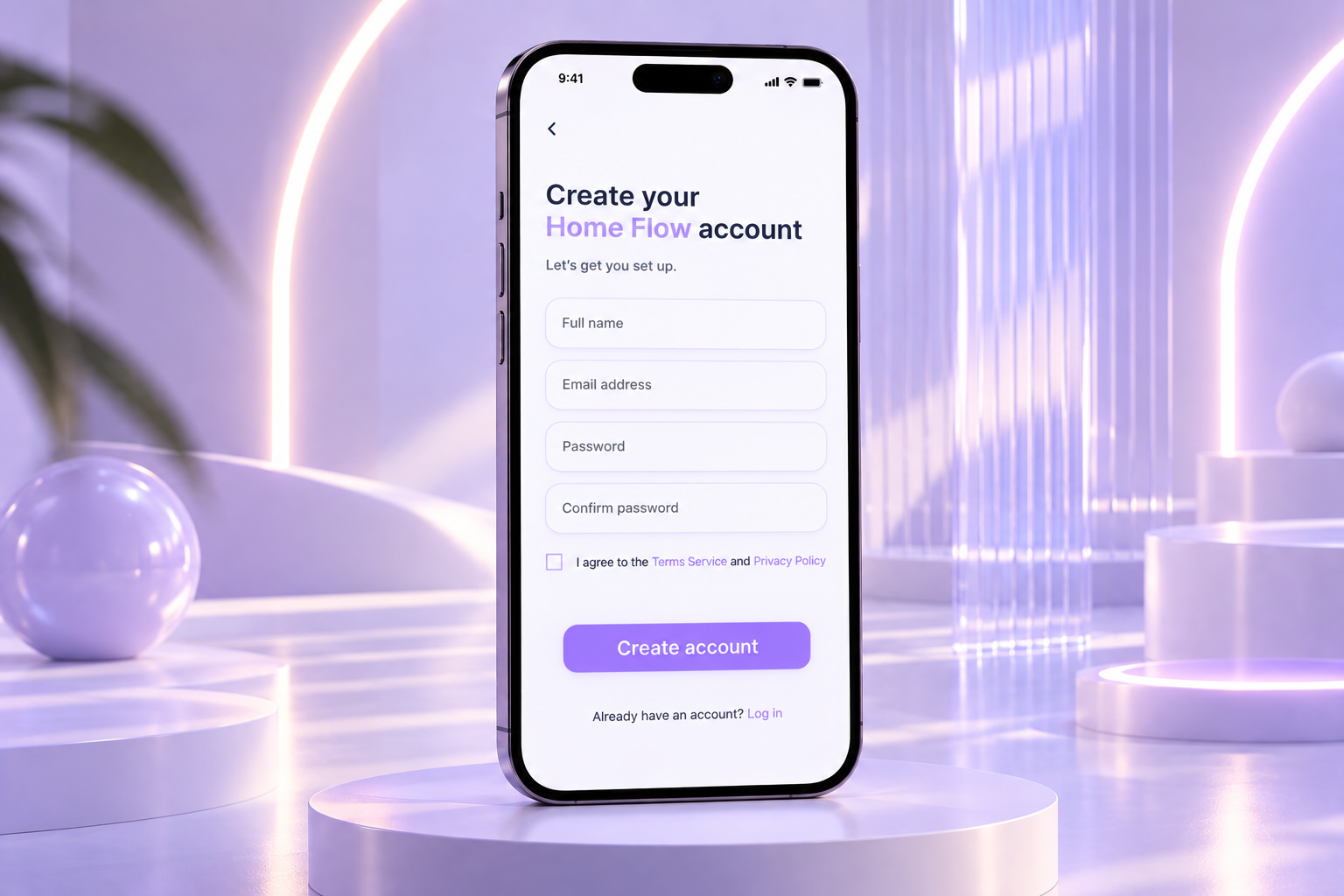
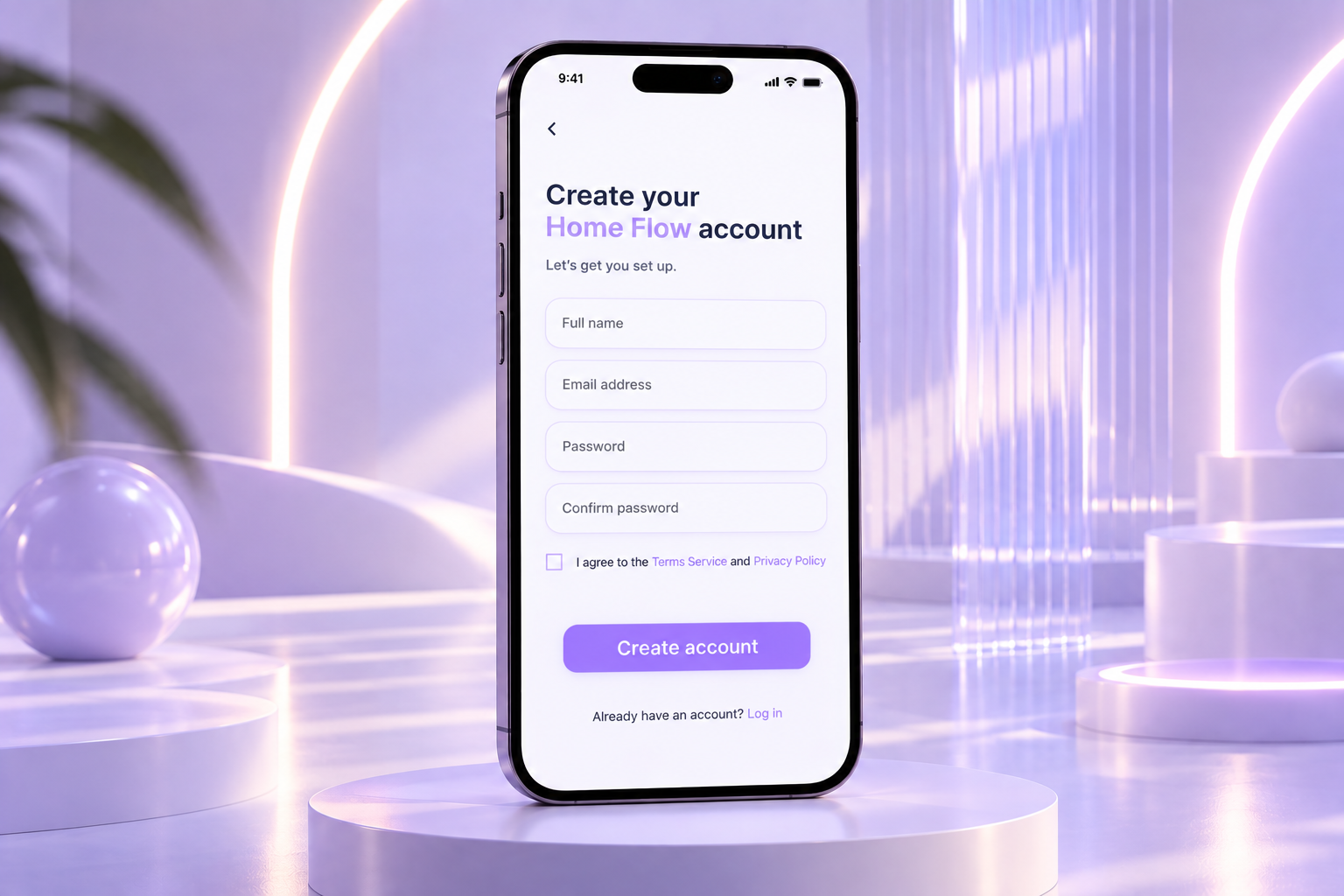
The account creation screen collects the essential information needed to set up a Home Flow profile, including name, email address and password. Terms and privacy information are included before account creation to make the process clear and transparent.
Prototype: Completing the form and selecting Create Account moves the user into household setup. Existing users can select Log In instead.
Create account
Add members
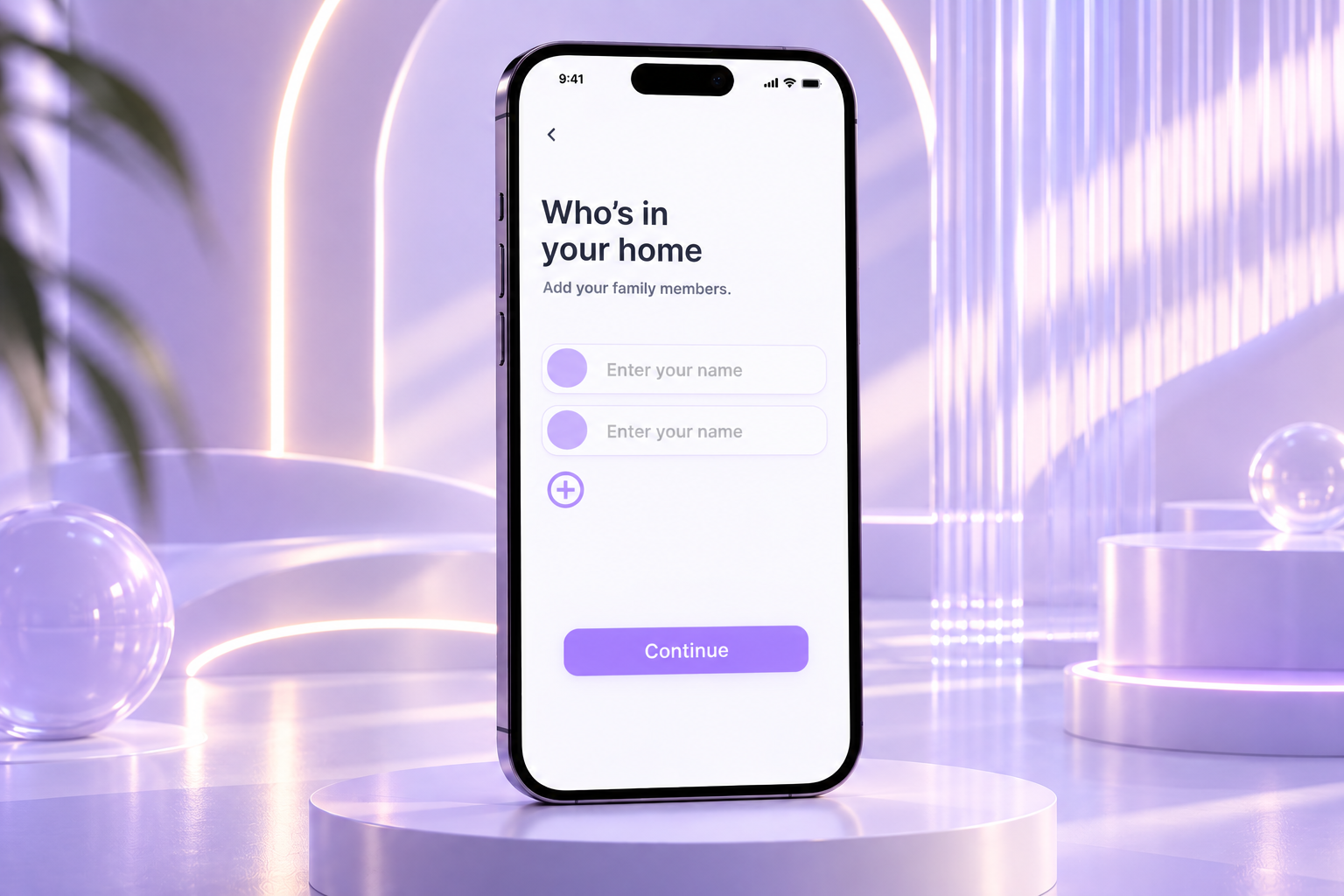
Home Flow is designed around the whole household rather than an individual user. During setup, users can add family members who will later appear throughout shared schedules, events and other areas of the app.
The additional member control allows the household to grow depending on the user's family structure.
Prototype: Users can add household members and select Continue to complete onboarding and enter the main Home Flow experience.
Home screen
The first dashboard state is designed for users who have not yet created any events or tasks. Rather than leaving the interface completely empty, Home Flow provides clear prompts encouraging the user to start organising their household.
Family profiles remain visible at the top, while Add Event and Add Task provide immediate starting points.
Prototype: Add Event and Add Task connect users directly to the relevant creation flows, while the bottom navigation provides access to the main areas of the app.
Day view
Once information has been added, the dashboard becomes a daily overview of the household. Upcoming events display their time, category and assigned family member, allowing users to quickly understand what is happening and who is involved.
Tasks are shown underneath with their deadlines, bringing schedules and responsibilities together on one screen.
Prototype: Users can navigate between Home, Calendar, Tasks and Meals and access scheduled information from the dashboard.
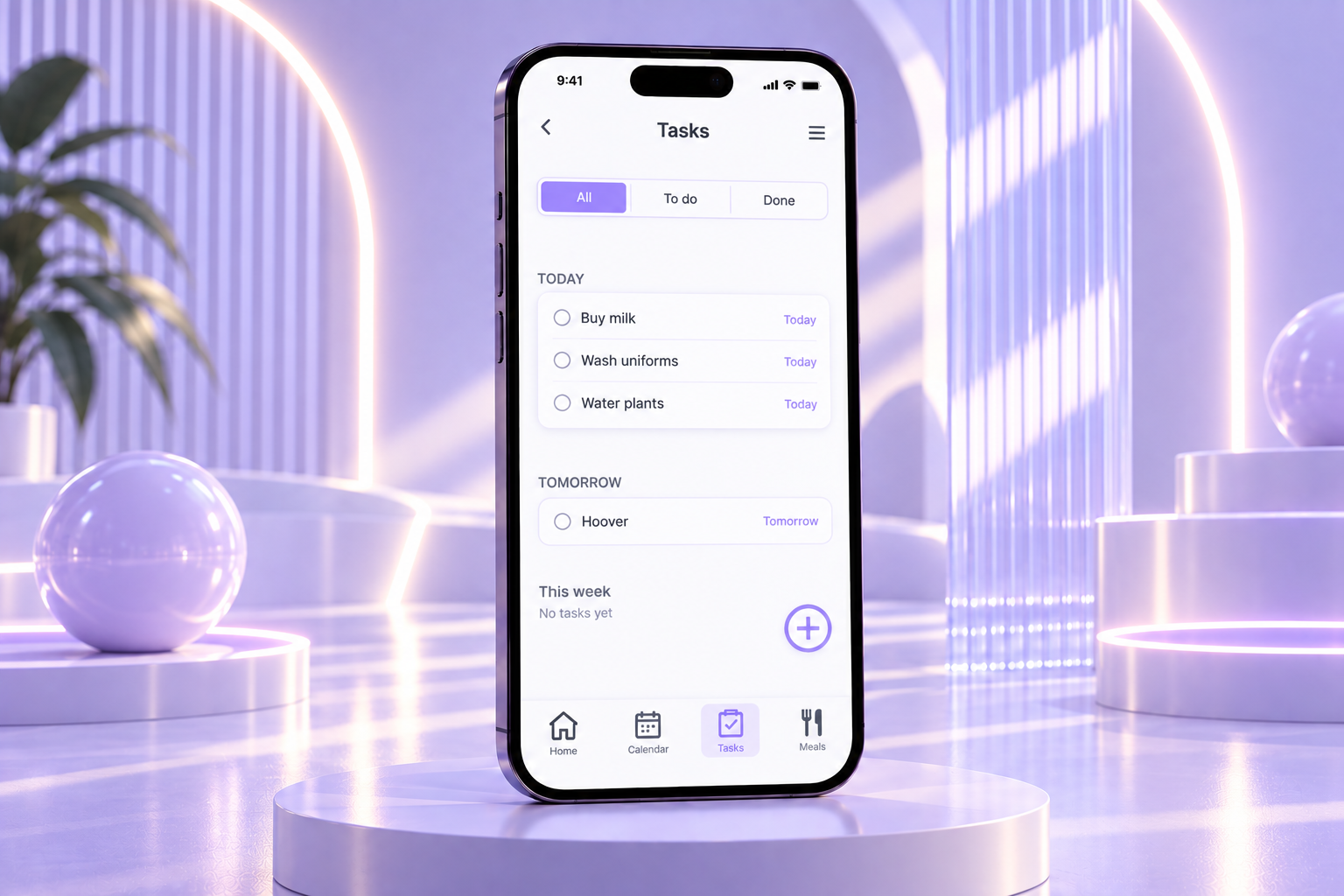
The Tasks screen separates household responsibilities from calendar events while keeping them within the same ecosystem. Tasks are organised into Today, Tomorrow and This Week, helping users prioritise what needs attention first.
The All, To Do and Done filters make it possible to switch between different task states without introducing additional screens.
Prototype: Users can change task filters, mark tasks as completed and use the plus button to begin creating a new task.
Tasks
Meals
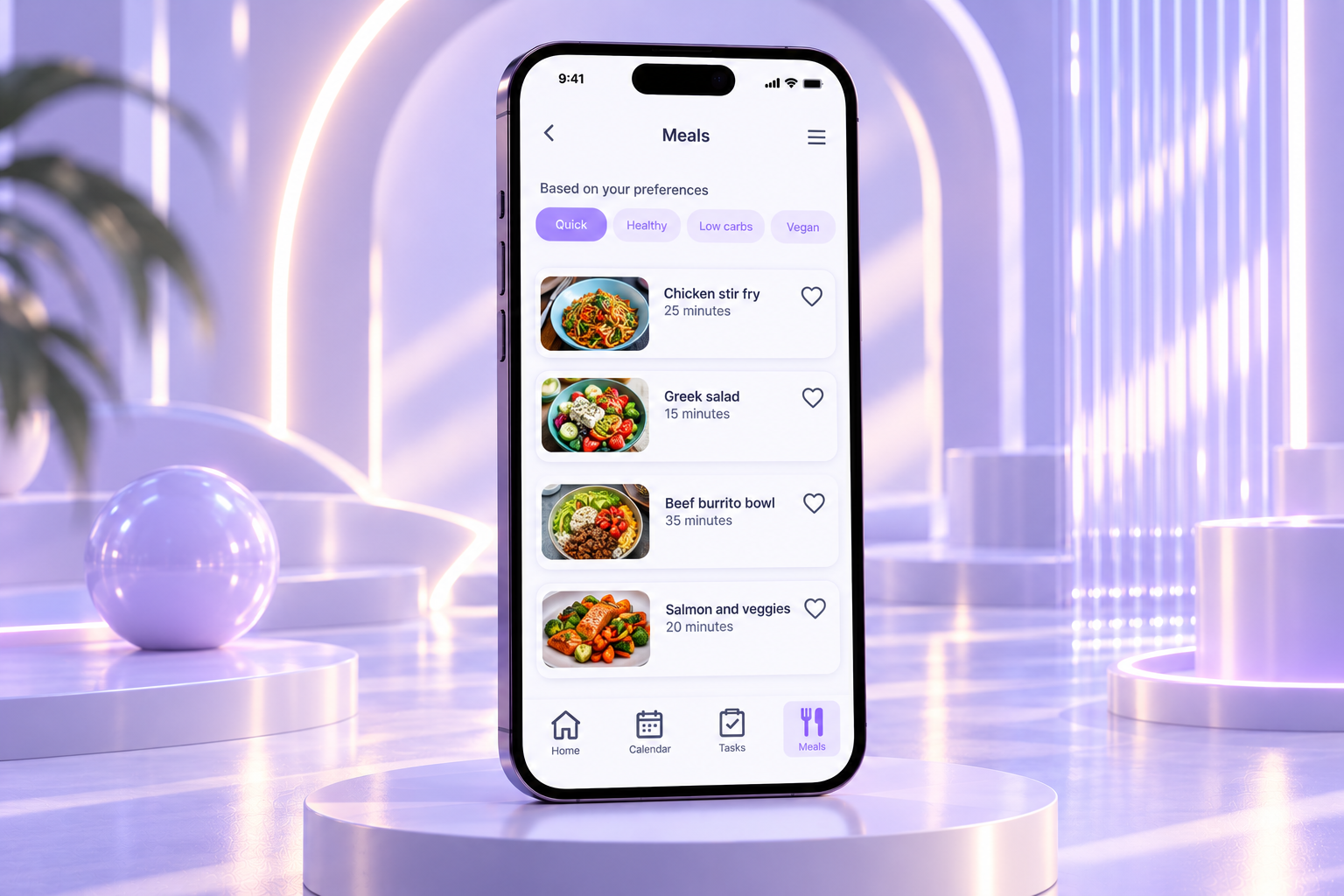
The Meals area introduces meal planning into the wider family organisation experience. Recommended recipes can be explored according to preferences such as Quick, Healthy, Low Carbs and Vegan.
Each card gives users the most useful information upfront, including the meal, image and approximate preparation time. Favourite controls also allow interesting recipes to be saved.
Prototype: Preference filters change the type of meals being explored, while selecting a meal opens its full recipe.
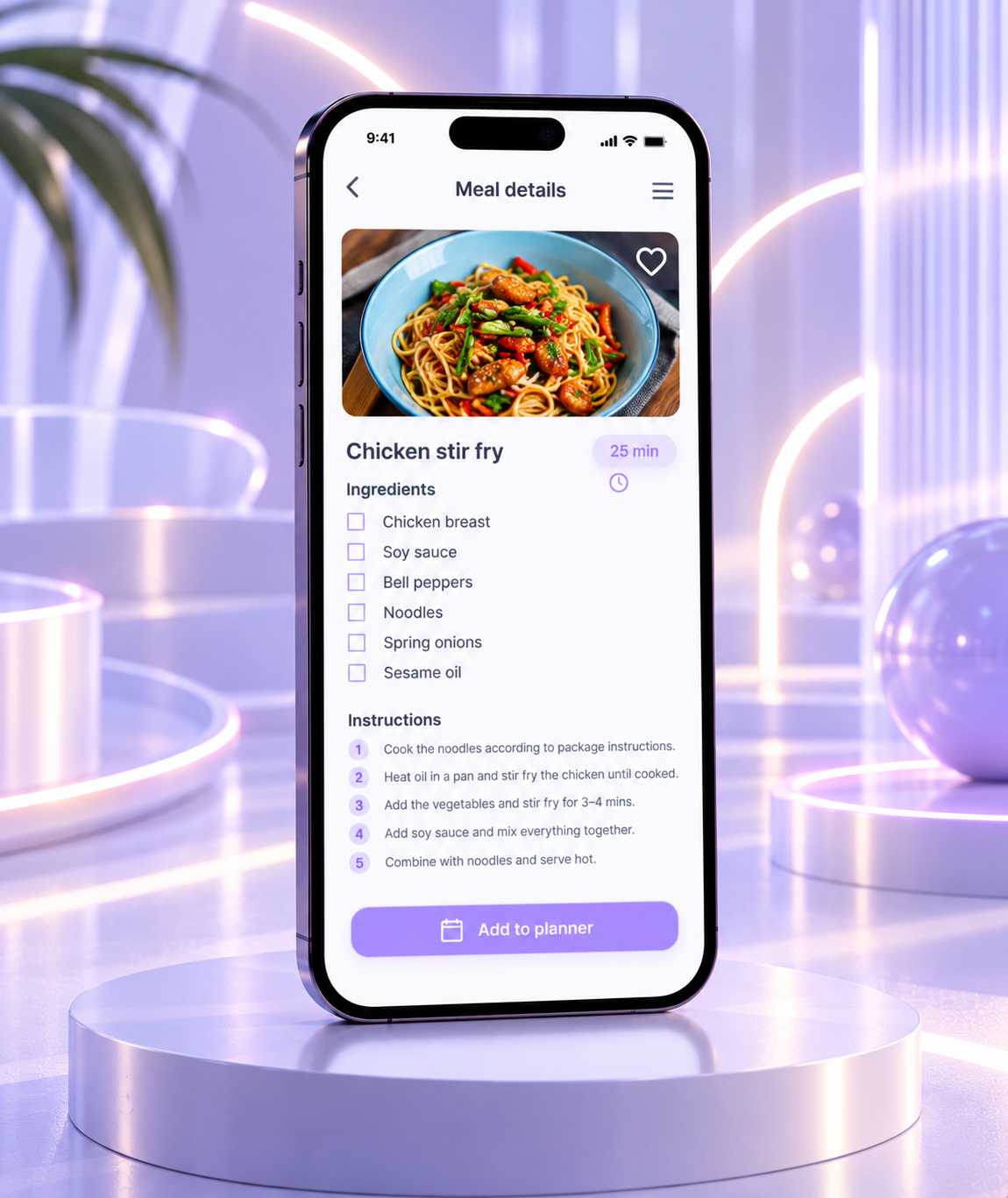
The Meal Details screen expands a selected recommendation into practical information needed to prepare it. Users can review the preparation time, ingredients and step by step instructions without leaving Home Flow.
The ingredient checklist also makes the screen more functional during meal preparation rather than simply displaying recipe information.
Prototype: Users arrive here by selecting a meal from recommendations and can use Add to Planner to connect their chosen meal with their household planning.
Meals
Calendar
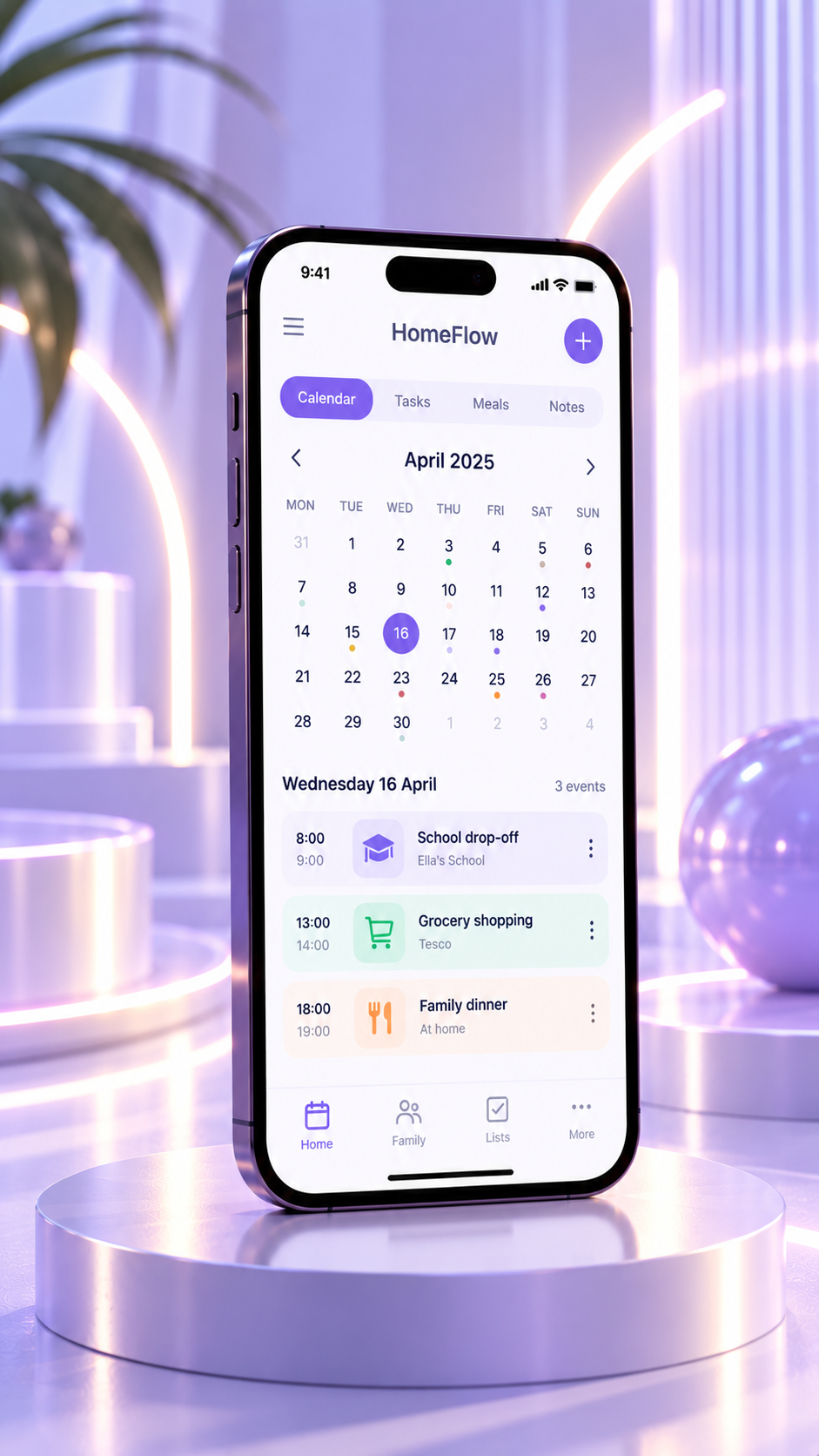
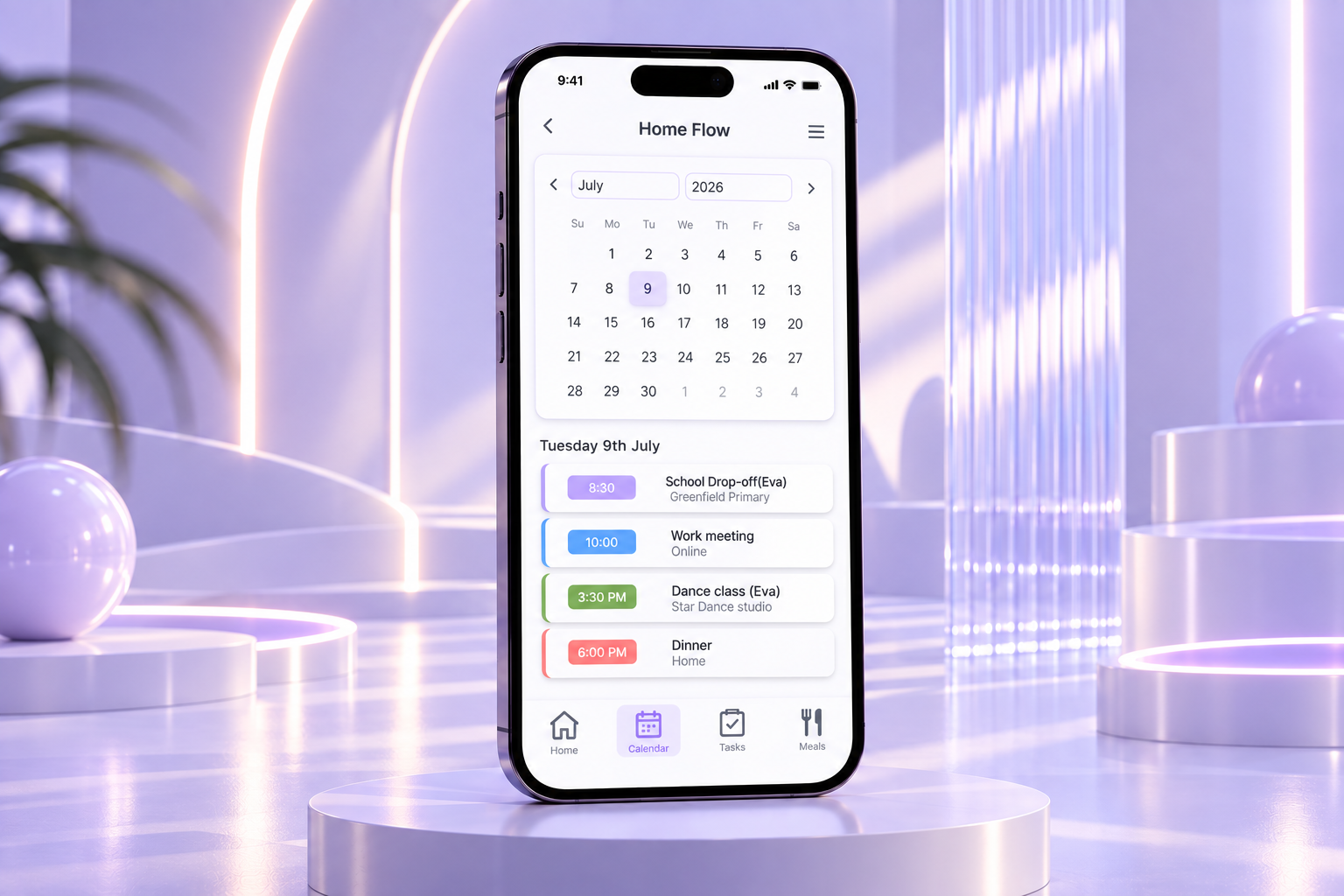
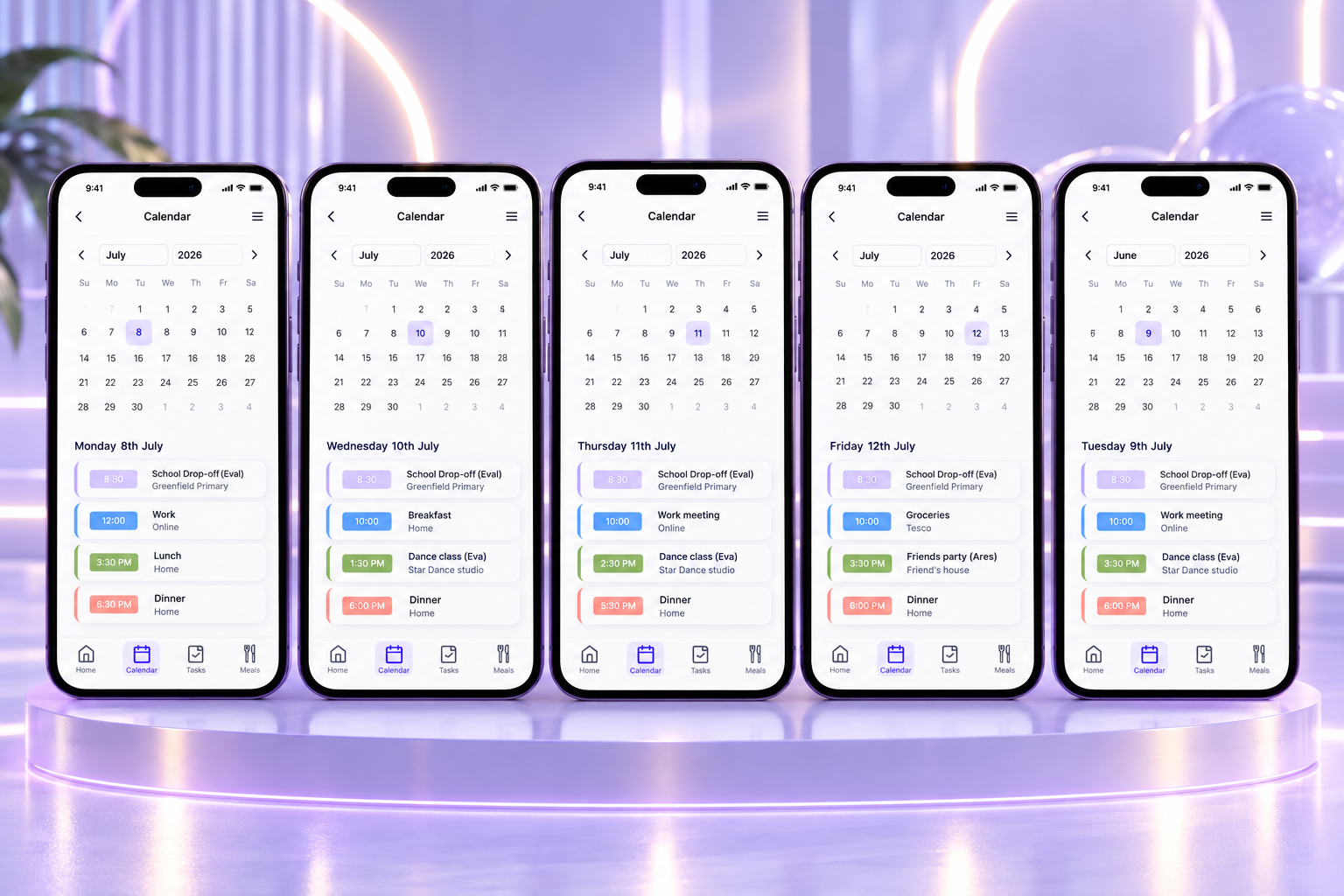
The Home Flow calendar is designed to give families a clear overview of their plans across different days and months. Users can move through the calendar, select individual dates and instantly see the events scheduled for that day. Each event displays key information such as the time, activity, location and family member involved, while colour coding helps different types of plans stand out at a glance.
The different calendar screens demonstrate how the interface adapts as the user moves between dates and months, while keeping the layout familiar and consistent. This makes it easier to plan ahead without losing sight of everyday routines.
Prototype: Users can navigate between months, select different dates and view the corresponding daily schedule, creating an interactive calendar experience rather than a static overview.